Toronto Address Points
A reference layer of every municipal address point published by the City of Toronto — 525,371 addresses — ready to add to the OpenStreetMap editors iD and JOSM while you map.
Address data © City of Toronto, published under Open Government Licence - Toronto.
Source: dataset page.
Preview
Two layers — which to use
| Vector layer | Interactive. Click a point to read its address tags
(addr, housenumber, street).
Best in iD. |
|---|---|
| Raster layer | House numbers drawn as text directly on the tiles. A readable backdrop. Best in JOSM. |
Heads-up: these tiles only render once you zoom in. Vector
points start appearing at city zoom; house-number labels show from about
zoom 16. If your editor looks empty after adding the layer,
zoom in closer.
Add to iD
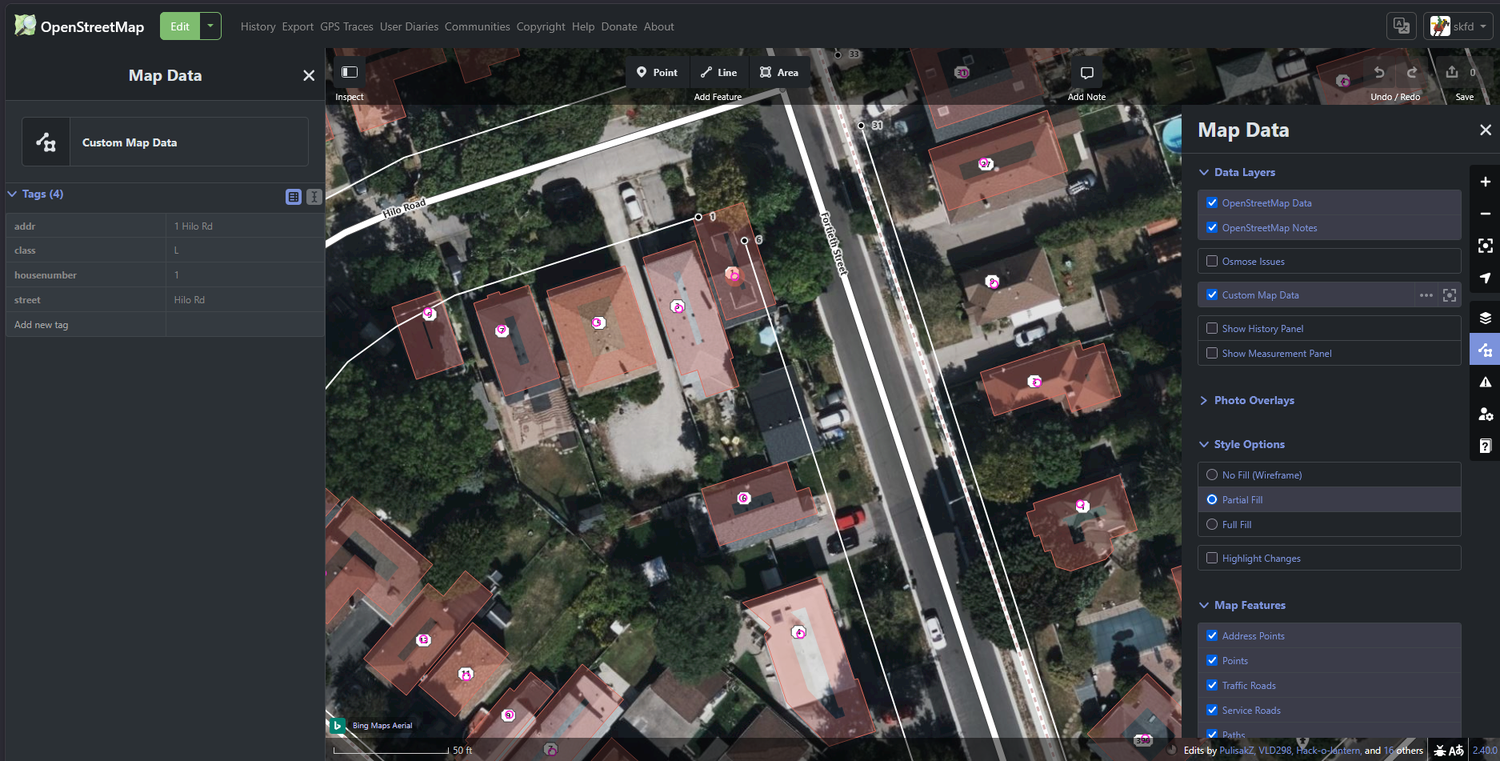
Vector layer (interactive)
- Open the iD editor and press U for the Map Data panel.
- Under Custom Map Data, open the settings and paste this URL:
https://skfd.github.io/toronto-addresses-layer/tiles/vector/{z}/{x}/{y}.pbf
Zoom in, then click any point to see its address tags in the inspector.
Raster layer (visible numbers)
- Open the Background panel and choose Custom.
- Paste this URL template:
https://skfd.github.io/toronto-addresses-layer/tiles/raster/{z}/{x}/{y}.png
Tip: enable both layers at once. iD renders the
vector layer as small pink dots with house-number labels (and click-to-inspect
for the full address tags); the raster background makes the numbers readable
at a glance.
Add to JOSM
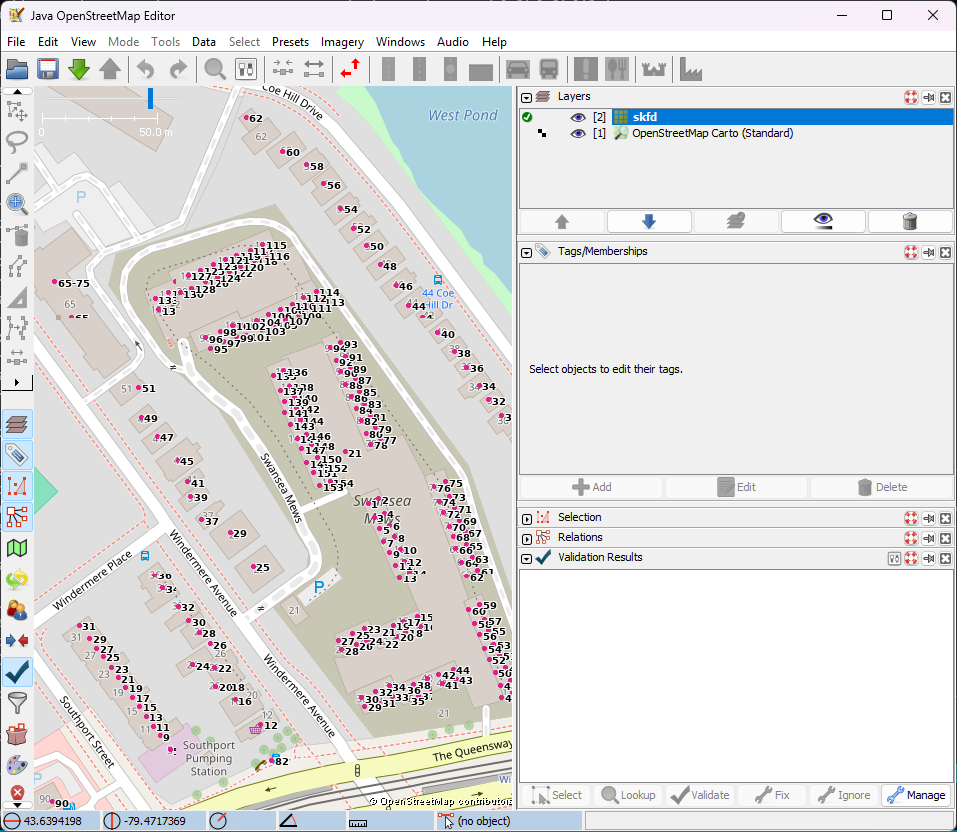
Raster layer (recommended for JOSM)
- Open Preferences → Imagery and click +TMS.
- Paste this entry (the
tms[..]prefix sets the zoom range; JOSM scales it up past the top zoom):
tms[16,20]:https://skfd.github.io/toronto-addresses-layer/tiles/raster/{zoom}/{x}/{y}.png
Give it a name such as Toronto Address Points, click OK, then enable it from the
Imagery menu. Note JOSM's placeholder is {zoom}, not
{z}.
Vector layer (optional)
JOSM can also add the vector tiles via Preferences → Imagery → +MVT:
https://skfd.github.io/toronto-addresses-layer/tiles/vector/{zoom}/{x}/{y}.pbf
JOSM renders the points but does not draw the house-number text — that is what the raster layer above is for.
Notes
- Vector tiles are pre-rendered through zoom 19; raster tiles for z16–20 (the editor overzooms beyond that).
- Tiles are refreshed daily from the source dataset.
- This is a reference layer — verify against survey or imagery before copying anything into OpenStreetMap.